Scoring
Form Scoring feature
What is Scoring?
Scoring allows you to assign points to user responses in specific form blocks. When a user submits the form, a * total score* is automatically calculated based on the answers provided. This score can be used for evaluations, compliance checks, audits, training assessments, and more.
Which blocks support scoring?
Scoring is currently available in the following blocks:
- ✅
CheckboxBlock - ✅
SelectBlock
How to configure scoring
1. Go to the Settings tab
In the form editor, select a Checkbox or Select block, then open the Settings tab.
2. Open the Scoring section
Click on the Scoring accordion to expand the configuration panel.
3. Assign points to each response
You can define specific points for each response option.
✅ Example with Checkbox block
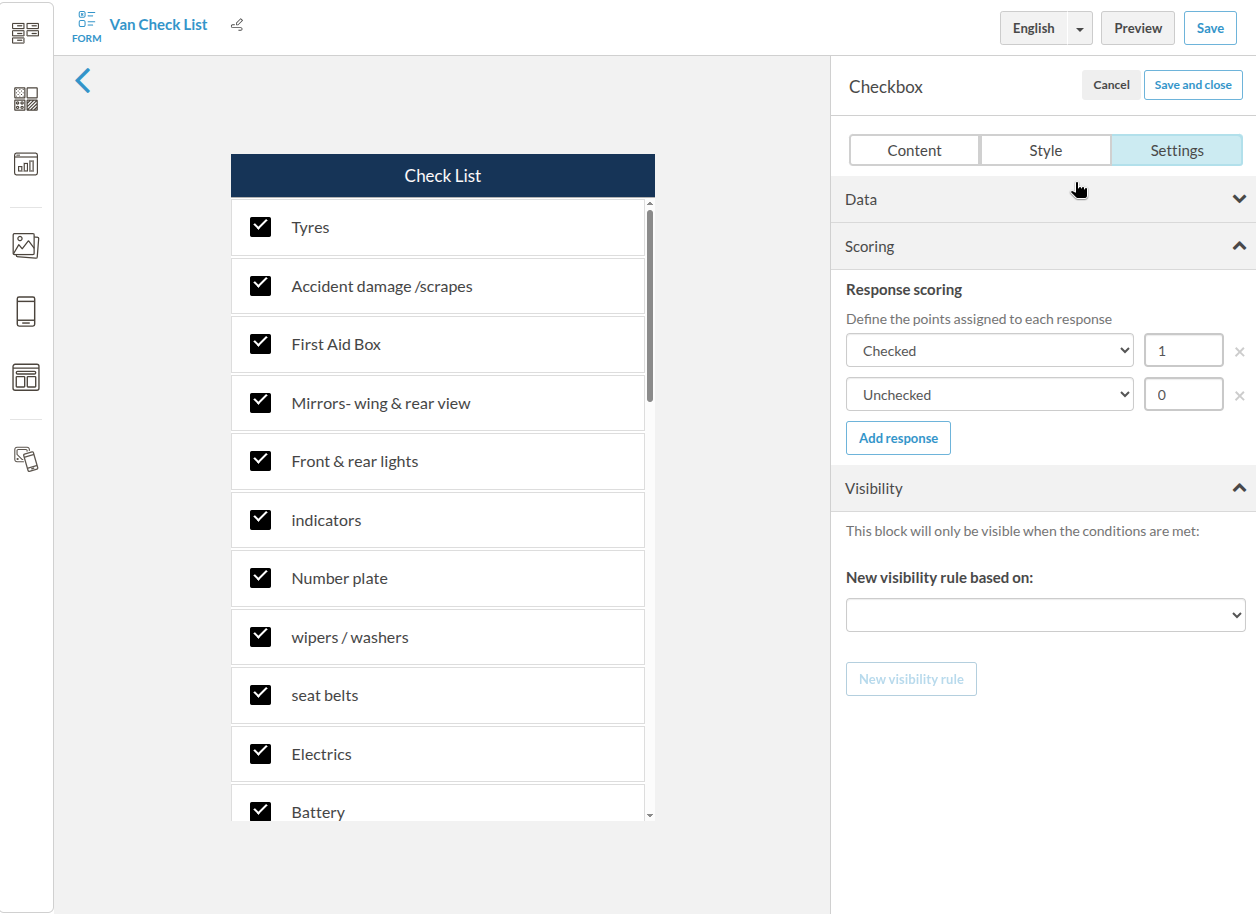
Checked: 1
Unchecked: 0
✅ Example with Select block
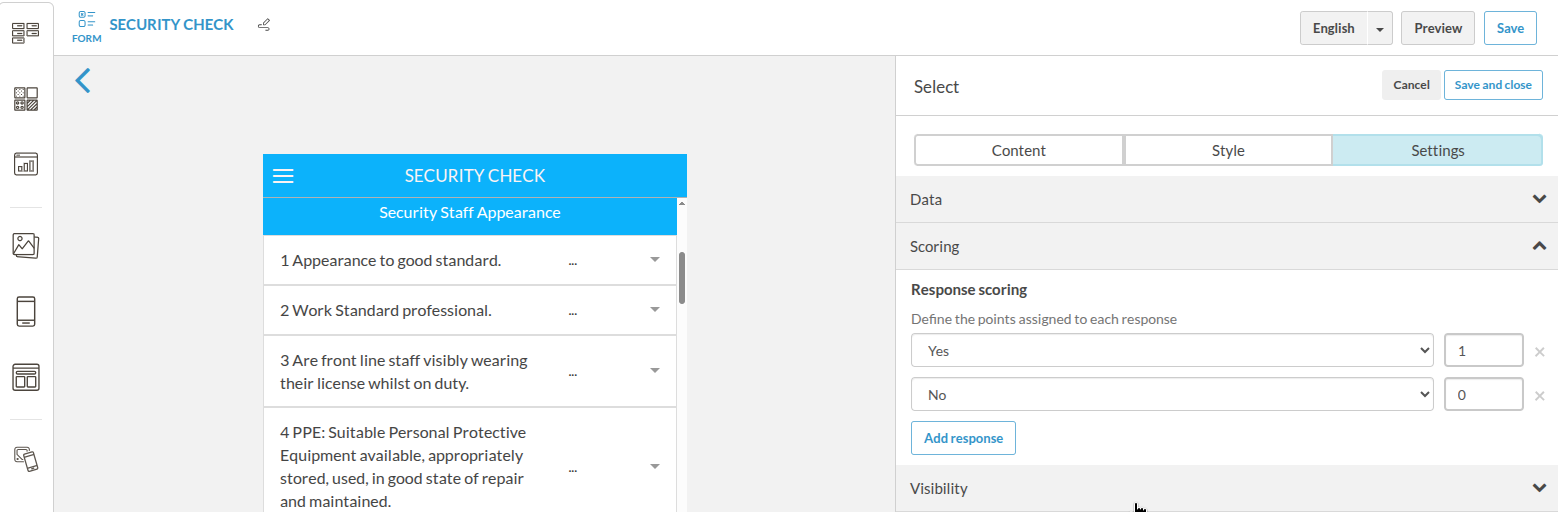
Yes: 1
No: 0
✅ Example with decimal values
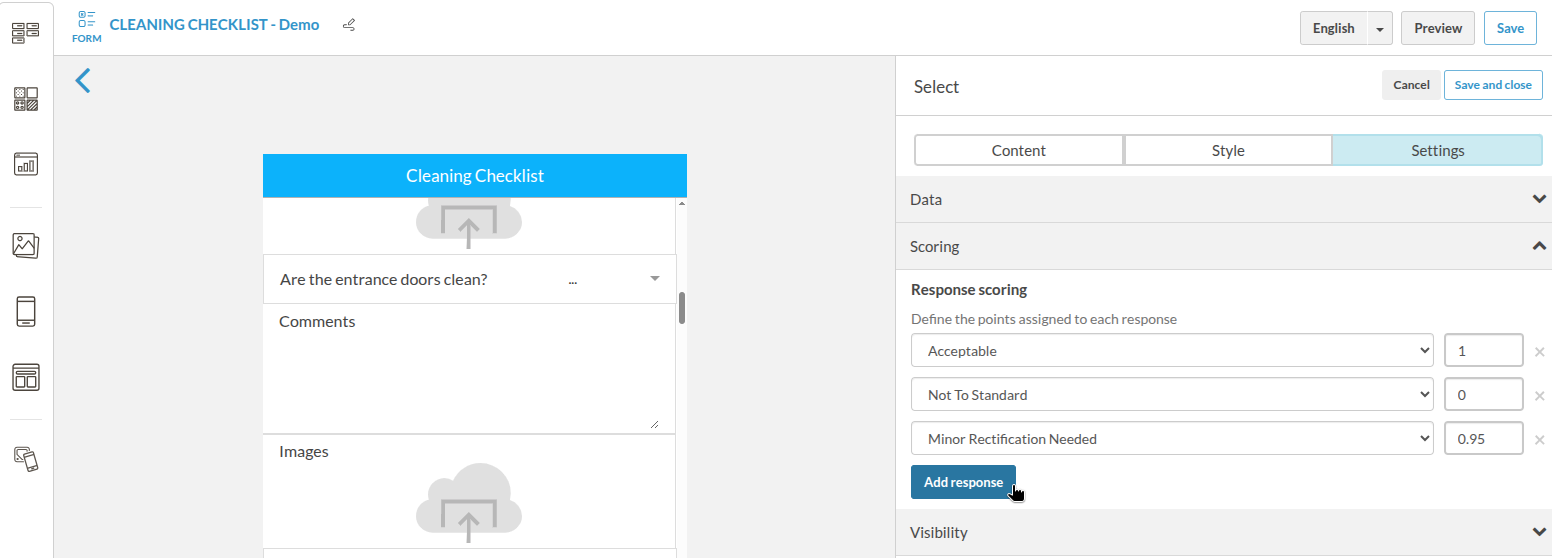
Acceptable: 1
Not To Standard: 0
Minor Rectification Needed: 0.95
- 💡 If you don’t assign a score to a response, it does not count it as a possible response.
- 🎯 You can use integers or decimals (e.g. 0.5, 0.95).
Where is the score shown?
After submission, the system automatically calculates and displays:
-
The total score as a fraction and percentage.
-
The individual score per question.
Example:
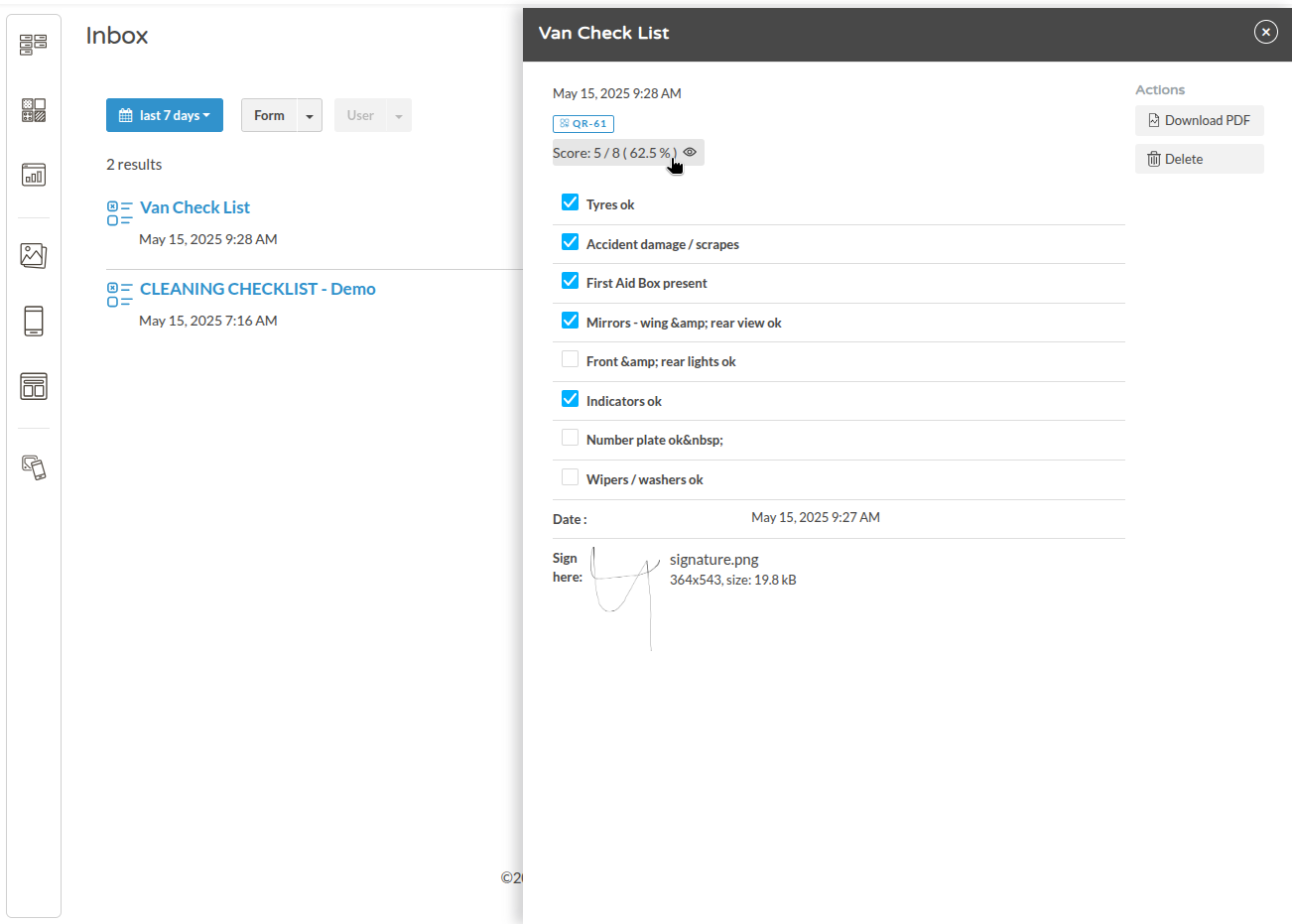
When clicking on the Score, the table with the summary appears:
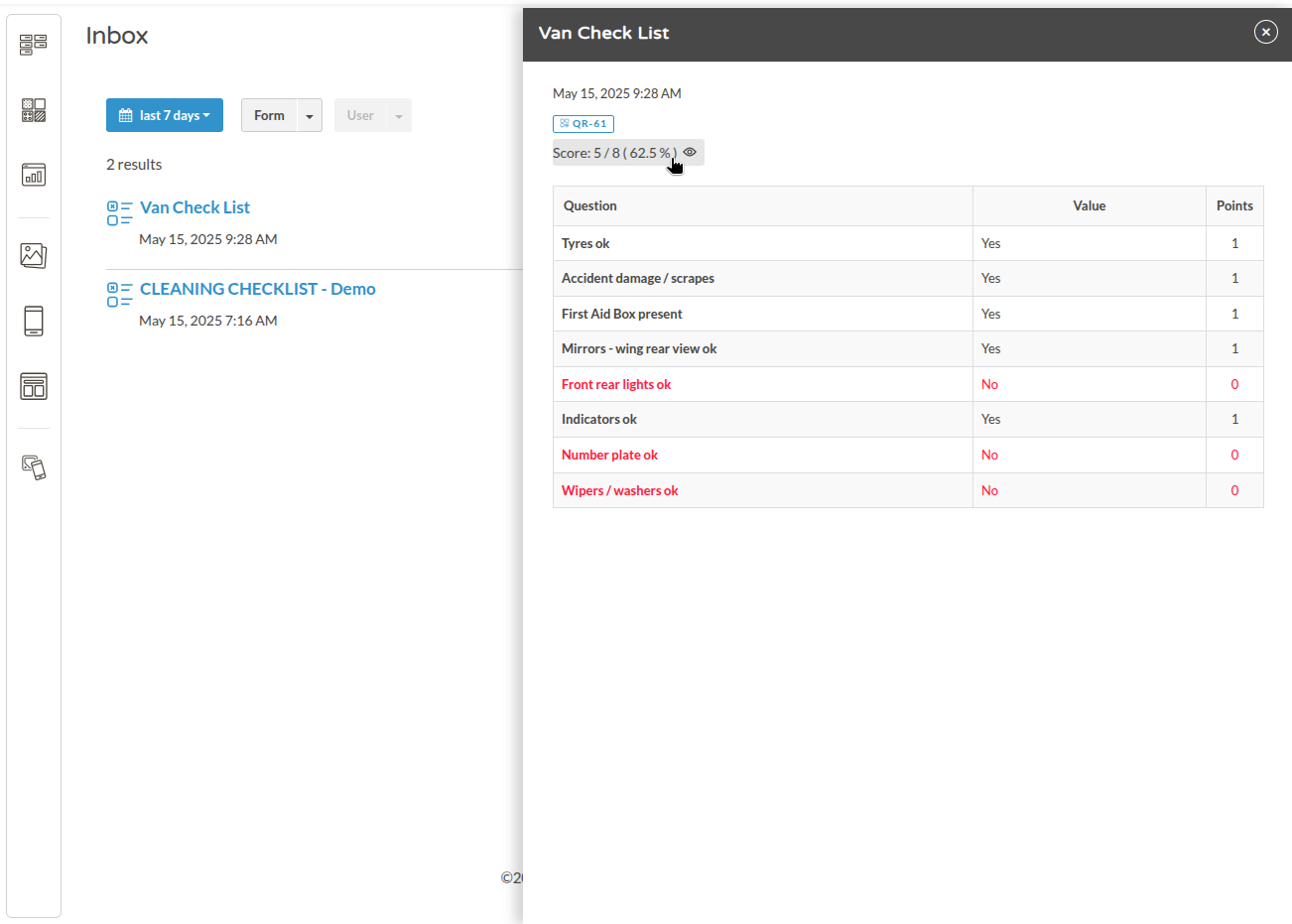 The detailed submission view shows:
| Question | Value | Points |
|---|---|---|
| Tyres ok | Yes | 1 |
| Front lights ok | No | 0 |
| ... | ... | ... |
The score is visible in:
-
📋 The submission detail view
-
📄 The downloadable PDF
-
🔄 API or CSV export (as a score field)
Use cases
✅ Maintenance or inspection checklists
✅ Cleaning and safety audits
✅ Internal training assessments
✅ Operational compliance tracking
Frequently Asked Questions (FAQ)
What happens if I don’t assign a score to a response?
→ The answer won't be taken into account
Can I use negative values?
→ No. Only 0 or positive numbers are currently supported.
Can I calculate scores by section?
→ Currently, only a global total score is calculated per submission.
Can I access the score via API or export?
→ Yes. The score field is included in submissions retrieved via API or exported as CSV.