Create / Request tags
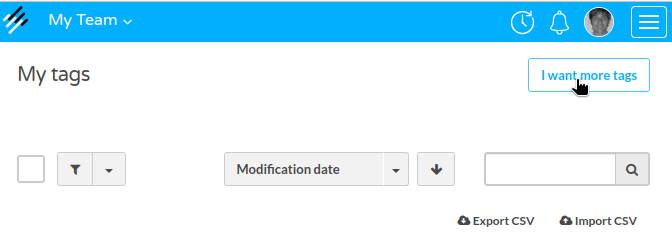
- From the Tags section, click on the I want more tags button, which you'll find at the top left corner:
-
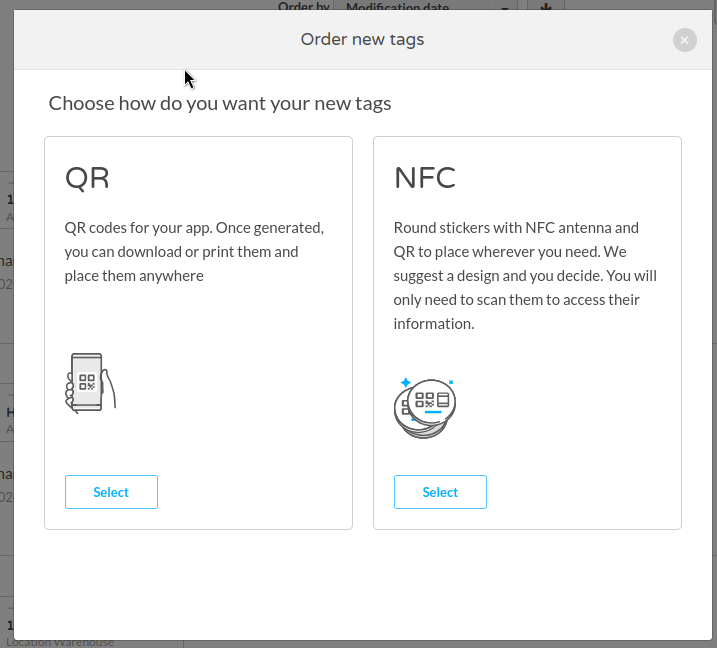
You can choose between requesting more digital tags (QR) or physical tags (NFC).
QR Tags: Digital tags, accessible from mobile devices. These will be generated in just a few seconds.
NFC Tags: Physical tags with NFC. You’ll need to specify the number of tags you want, and they will be shipped to your office as soon as possible.
-
Choose the number of tags you want to generate and the brand they will be associated with.
-
That’s it! Your tags have been generated or requested. ✨