Asset Hierarchy
In TicTAP, information is not organised linearly but hierarchically. For data to be displayed correctly in the Workspace, it is essential to understand the relationship between the primary asset types.
Asset Types
Before creating any entries, we must distinguish what is being registered:
- Asset Container: An entity that groups assets together (e.g. a plant, a building, or a van containing tools).
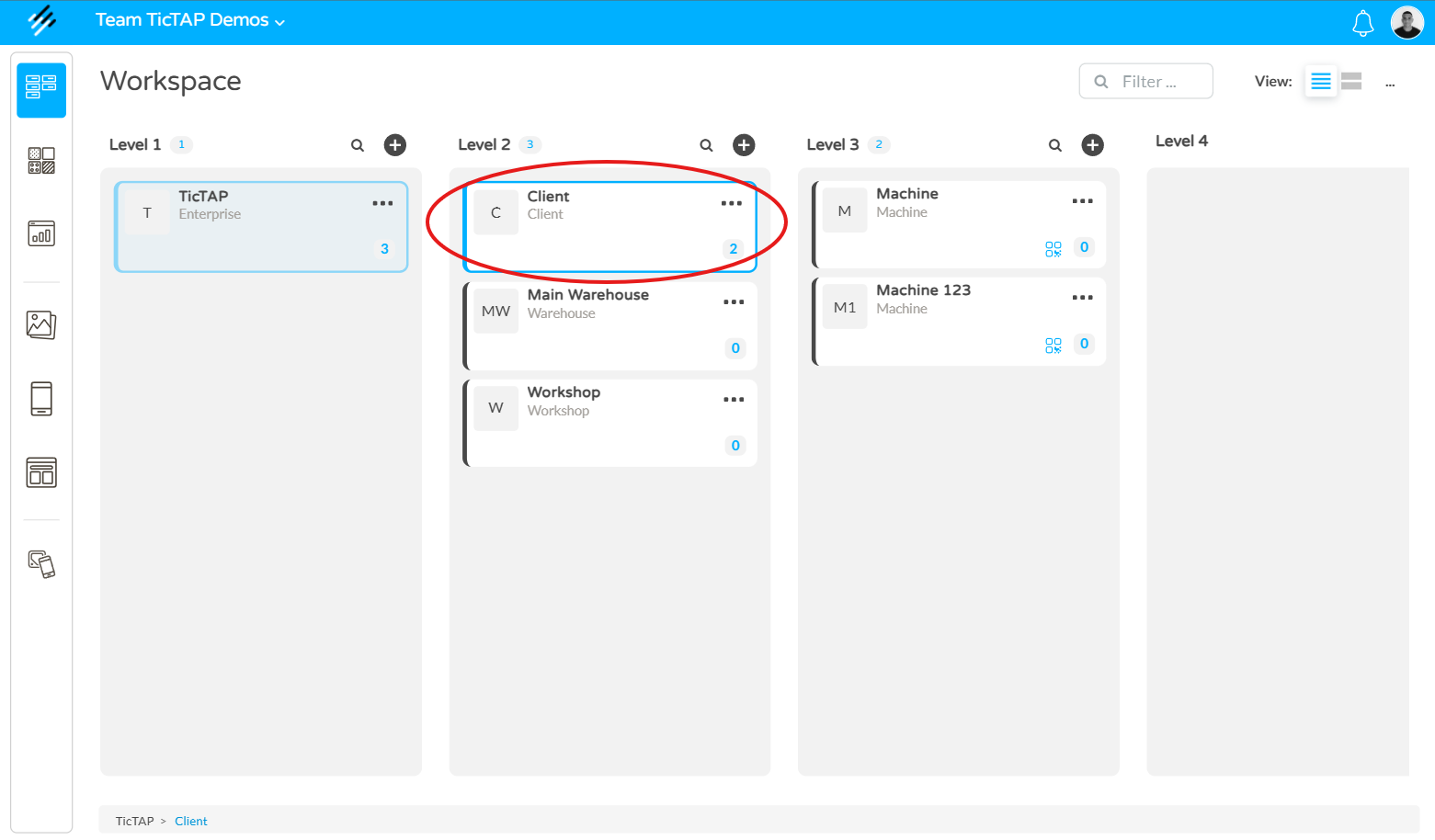
- Asset: The final item (e.g. a water pump, a fire extinguisher, a vehicle, or a machine). This is the object subject to maintenance or inspection.
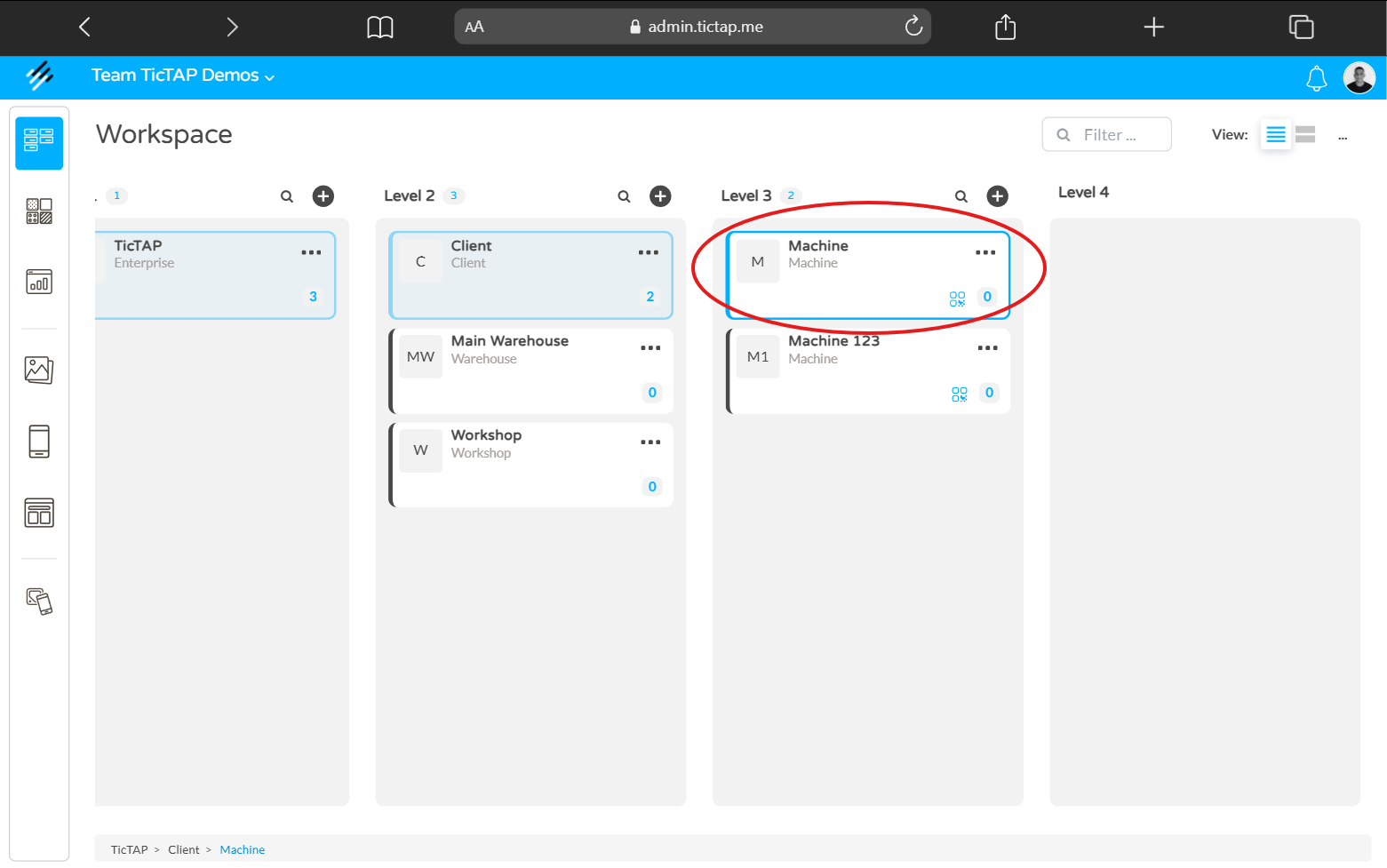
How to relate Assets to one another
Relationships are established through a hierarchy of location and belonging:
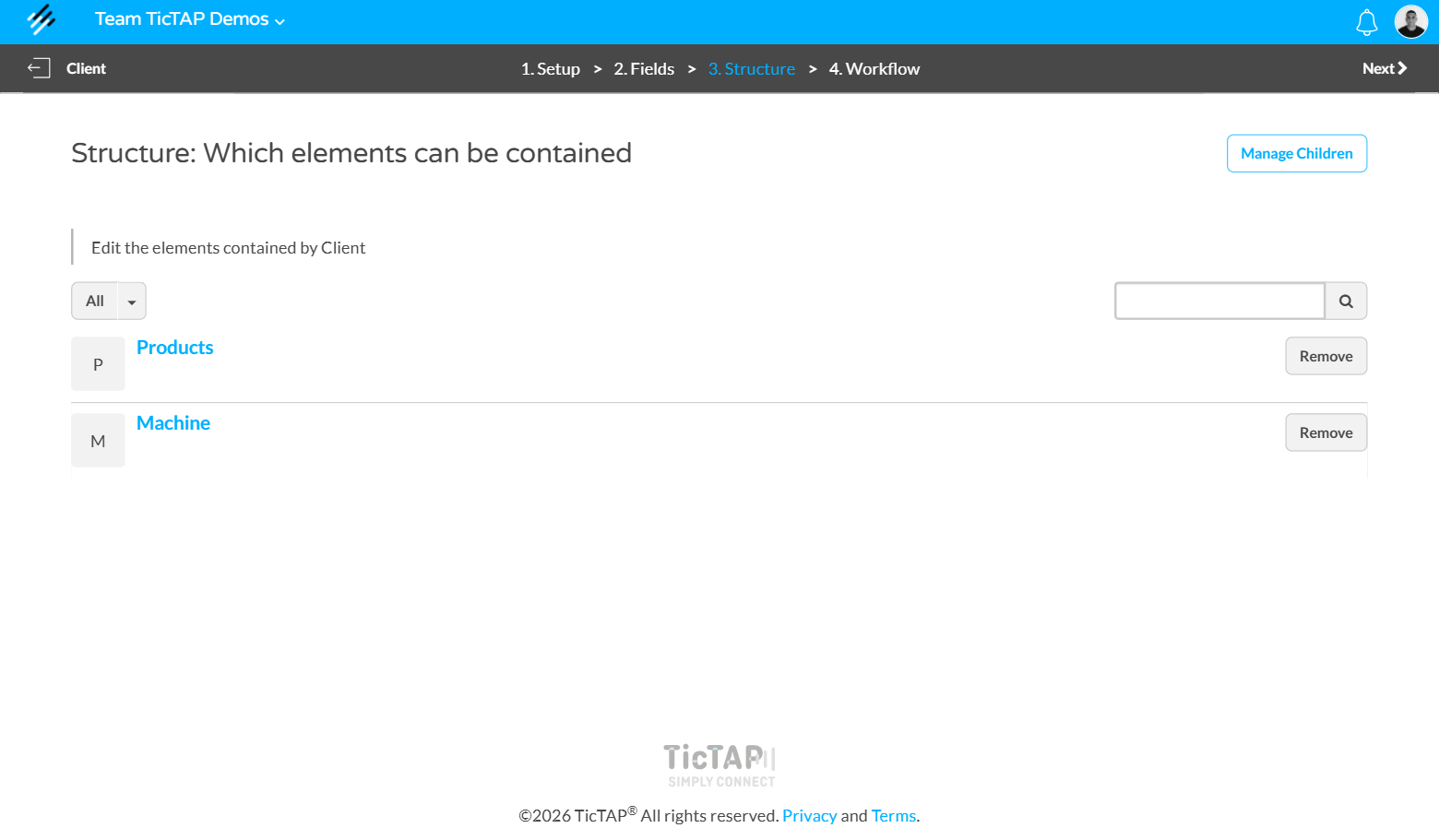
- Parent-Child Relationship (Containers): In TicTAP, you can build a tree hierarchy to organise your assets. When configuring an asset that will function as a container, you can define its "Children". Upon selecting an asset as a child, it will automatically be nested within its corresponding asset container.
Example: "Client" Container > "Products" and "Machine" Children.
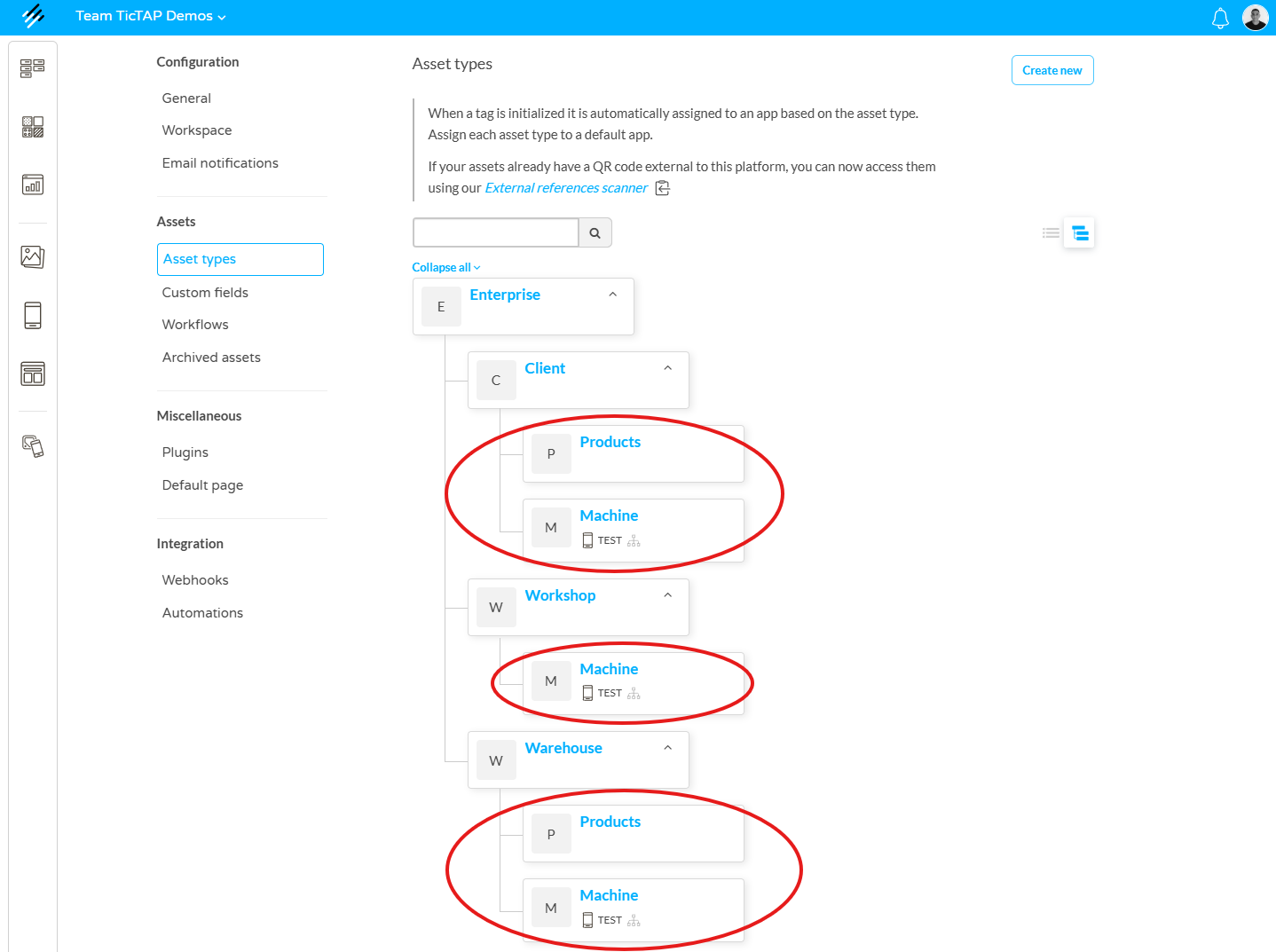
- Asset Multi-dependency: In TicTAP, the structure is flexible: a single Asset can be a "child" of several Asset Containers simultaneously.
Workspace Visualisation
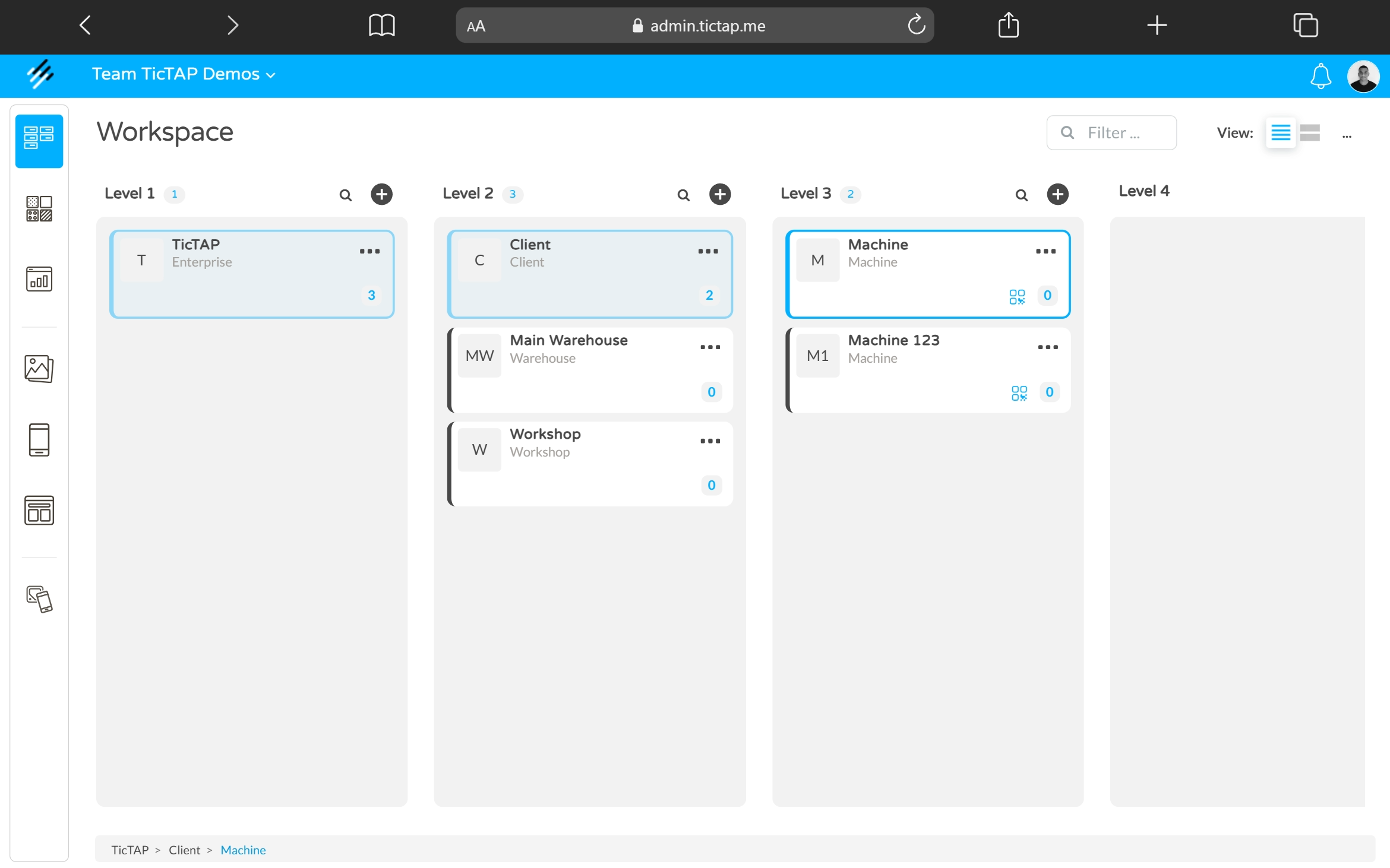
The Workspace is the central interface where the entire structure mentioned above is reflected. To ensure effective visualisation:
- Tree View: In the side panel of the Workspace, you will see the container hierarchy. By clicking on a container, all related assets will be displayed.
Useful Links
If you wish to delve deeper into asset management and platform configuration, we recommend consulting the following resources: